LTMS Portal Meaning Explained: Your Complete Guide to Hassle-Free LTO Services
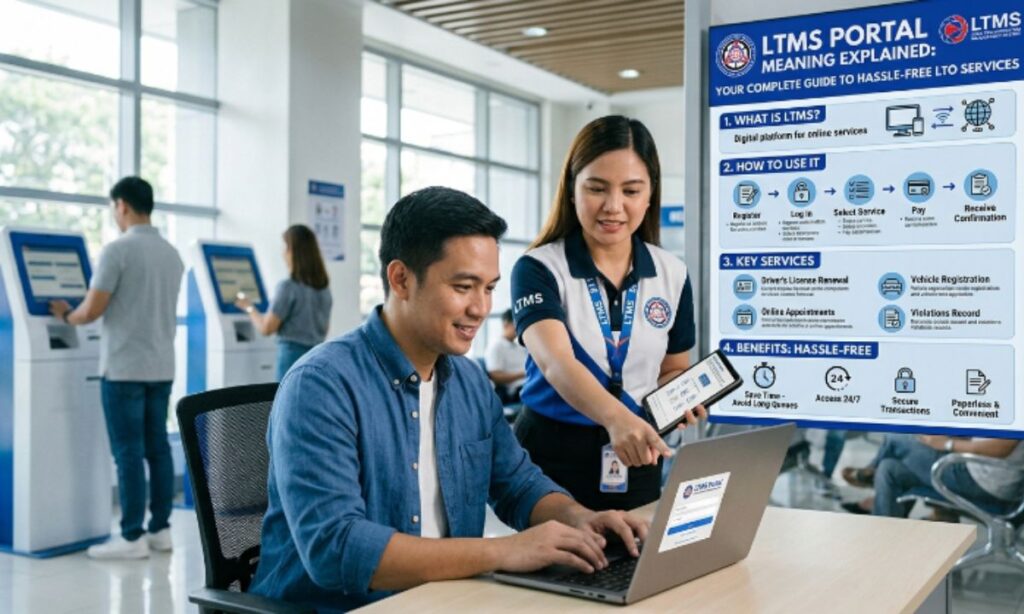
Standing in line at the LTO used to be an all-day affair. Today, most of that hassle has moved online through the LTMS Portal. If you’ve seen this term while trying to renew your license or register your vehicle and wondered what it actually means, you’re in the right place.
This guide breaks down everything you need to know about the LTMS Portal — what it is, how it works, and how to avoid the common headaches motorists run into while using it.
LTMS Meaning in Text
LTMS stands for Land Transportation Management System. It’s the official digital platform of the Land Transportation Office (LTO) in the Philippines, built to handle driver’s license applications, vehicle registration, and other transportation-related transactions online.
You’ll often see it written interchangeably as “LTO Portal” or “LTMS Portal” — both refer to the same system, though technically the LTMS is the engine that powers the LTO’s digital services.
What Is the LTMS Portal?
The LTMS Portal is a web-based system launched by the LTO in 2020 to digitize and centralize transportation-related transactions across the Philippines. Instead of physically visiting an LTO branch for every step of a transaction, motorists can now complete most of the process online and simply show up for the parts that require in-person verification, like biometrics or photo capture.
In simple terms, the LTMS Portal acts as a 24/7 digital gateway between the public and the LTO, reducing the need for long queues, repeat visits, and unofficial “fixers.”
At its core, the platform was created to:
- Digitize LTO records and transactions into one centralized database
- Give motorists round-the-clock access to their driving and vehicle history
- Cut down processing times at physical LTO branches
- Improve transparency and reduce opportunities for fixers and irregular transactions
Key Features of the LTMS Portal
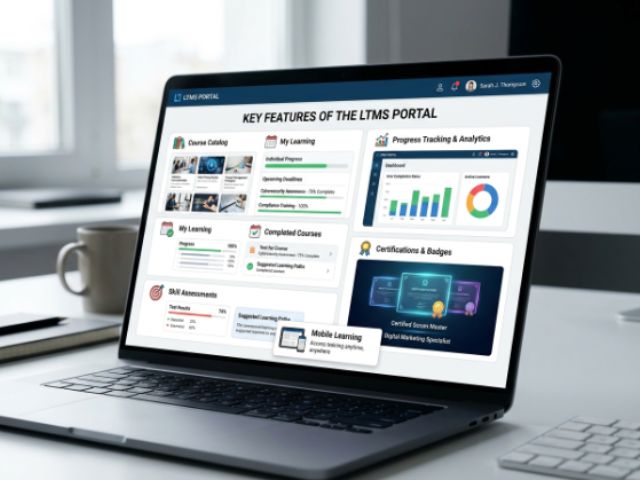
The LTMS Portal isn’t just a login page — it’s a full suite of services. Here’s a breakdown of what it offers.
| Feature | What It Does |
| Online Account Registration | Create a personal profile linked to your license or vehicle records |
| Driver’s License Application/Renewal | Book appointments and submit requirements before visiting a branch |
| Vehicle Registration | Process renewals and track registration status |
| Traffic Violation Records | Check apprehensions, unpaid fines, and case status |
| Digital Document Archive | Access your license, official receipts, and vehicle records anytime |
| Appointment Scheduling | Pick a preferred LTO branch, date, and time slot |
| E-Learning Modules | Study materials to prepare for the theoretical driving exam |
| Transaction Status Tracker | Monitor real-time updates on pending applications |
These features work together to shift most of the paperwork online, leaving only the essential in-branch steps — like photo capture, biometrics, or physical document verification — for your scheduled visit.
How to Use the LTMS Portal
Getting started with the LTMS Portal follows a fairly straightforward process. Here’s a step-by-step walkthrough for first-time users.
- Visit the official LTMS website and click on the registration or sign-up option.
- Enter your personal details , full name, birthdate, address, and contact information.
- Provide your license or ACR number, (for existing license holders or foreign nationals).
- Verify your account through the OTP sent to your registered email or mobile number.
- Log in to your dashboard once verification is complete.
- Select the transaction you need , renewal, registration, appointment booking, etc.
- Upload required documents as prompted by the system.
- Choose your preferred LTO branch and appointment slot.
- Pay any applicable fees online, if the option is available for your transaction.
- Visit the LTO branch on your scheduled date to complete the remaining steps, such as biometrics or ID release.
What You’ll Need to Register
Before you start, have these details ready:
- Valid email address and active mobile number
- Government-issued ID or existing driver’s license number
- Official receipt (OR) number or mother’s maiden name, if OR is unavailable
- For foreign nationals: ACR number, nationality, and medical information
- A stable internet connection and a device (phone, tablet, or computer)
Pro Tips for Using the LTMS Portal

A little preparation goes a long way when dealing with any government system. Keep these tips in mind:
- Book appointments mid-week. Weekend and holiday slots fill up fast, while Tuesday-to-Thursday bookings tend to have more availability.
- Double-check your account details. An outdated email or number means you could miss critical notifications about your transaction.
- Prepare documents ahead of time. Know exactly what’s required for your specific transaction before you even open the portal.
- Screenshot every confirmation. Save appointment slips, payment receipts, and reference numbers digitally, and print them if possible.
- Stick to official channels only. Avoid third-party sites or individuals claiming to speed up your application — this is exactly the kind of “fixer” activity the LTMS was built to eliminate.
- Check the portal regularly. Policies, fees, and requirements can change throughout the year, so it pays to stay updated.
Challenges You Might Encounter
Even with all its benefits, the LTMS Portal isn’t without its rough edges. Being aware of these common issues can save you a lot of frustration.
Read More: Men’s Tattoo Ideas With Meanings: 1000+ Designs That Match Your Identity
- Server downtime or slow loading, especially during peak hours or renewal season
- Limited appointment slots, particularly in busy branches or urban areas
- OTP or verification delays due to network issues
- Confusing navigation for first-time users unfamiliar with government portals
- Mismatched records, such as outdated addresses or license numbers in the system
- Uncertainty about theoretical exam requirements for new applicants, especially the shift toward mandatory online courses
If you hit a snag, the safest move is to contact the LTO directly or double-check your appointment status rather than relying on unofficial “assistance.”
Get Ready with DriveSafe PH

If you’re a first-time applicant, one requirement you can’t skip is the Online Theoretical Driving Course (OTDC) — mandatory before your practical driving lessons and exam. This is where DriveSafe PH comes in.
DriveSafe PH is an LTO-accredited OTDC provider, offering the full theoretical course online so you can study at your own pace before heading to a partner driving school for hands-on training. The course covers road safety, traffic rules, and defensive driving fundamentals — everything you need to walk into your LTO exam prepared.
Why Choose DriveSafe PH?
- LTO Accreditation : Officially recognized, so your certificate is valid for LTO requirements.
- Learn Anytime, Anywhere : Complete the course on your own schedule from any device.
- Nationwide Partner Network : Connects you with accredited driving schools across the Philippines for practical training.
- Structured Learning Path : Video lessons, quizzes, and a final validation exam to make sure you’re actually ready.
- 24/7 Support : Assistance available whenever you have questions about the course or process.
Pairing your LTMS Portal transactions with a reliable OTDC provider like DriveSafe PH means fewer surprises and a smoother path to getting your license.
Conclusion
The LTMS Portal has genuinely changed how Filipinos deal with the LTO — trading long queues and uncertain wait times for a system you can access from your phone at midnight if you need to. Understanding what LTMS means, how the portal works, and what to prepare beforehand puts you in a much better position to breeze through your next license renewal or vehicle registration.
Combine that with LTO-accredited support like DriveSafe PH for your theoretical driving course, and the entire licensing journey becomes far less stressful — no fixers, no guesswork, just a clear path from application to approval.
Frequently Asked Questions
What does LTMS stand for?
LTMS stands for Land Transportation Management System, the official online platform of the Philippine LTO.
Is the LTMS Portal free to use?
Yes, registering an account on the LTMS Portal is completely free; you only pay for specific transaction fees like registration or licensing costs.
Can I complete my entire LTO transaction online through LTMS?
Not entirely — most steps can be done online, but you’ll still need to visit an LTO branch for biometrics, photo capture, or ID release.
Do I need to take an online course before getting a license?
Yes, first-time applicants must complete an LTO-accredited Online Theoretical Driving Course, such as the one offered by DriveSafe PH, before their exam.
What if I forget my LTMS Portal password?
Use the “Forgot Password” option on the login page and follow the OTP verification steps sent to your registered email or number.
Is the LTO Portal the same as the LTMS Portal?
Yes, both terms are used interchangeably, though technically the LTMS is the underlying system that powers all LTO Portal services.
Leave a Reply